How to Localize Dates, Numbers and Addresses in Customer Support Chat
A practical policy for writing clear dates, times, amounts and address questions in multilingual support chat—without guessing a customer’s locale.
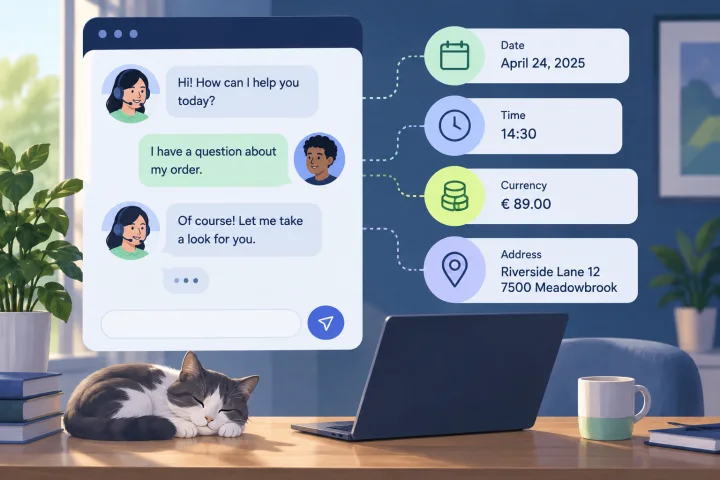
Translation is not the same as localization
Translating a sentence changes its words; it does not automatically make every value easy to interpret. A date such as 03/04/2025 can be read in more than one order. Times may need a time zone. Decimal and thousands separators vary, a currency symbol may not identify a currency, and address fields do not have one universal order.
Treat these as message-design decisions. A multilingual widget can present content in different languages, but that does not establish that dates, numbers or addresses are automatically reformatted for each visitor. Check the actual display behavior rather than assuming translated wording changes formatting.
- A translated label can still accompany an ambiguous date or amount.
- A symbol such as $ may not identify which currency is intended.
- An address layout that works for one destination may ask irrelevant questions or make another address harder to enter.

Set a small, consistent format policy
Choose conventions for support messages and reusable templates before agents and automations begin improvising. Prefer wording that carries its own meaning when copied, forwarded or read without surrounding context.
For dates, spell out the month in customer-facing text once the intended date is known: “4 March 2025” is clearer than “03/04/2025.” For a time that affects an appointment, deadline or service window, state the time zone or ask which time zone the customer means.
For amounts, name the currency in words or with a clear currency code alongside the value. Avoid relying on a symbol alone. If a separator or number of decimal places could affect a decision, confirm the amount in plain language before acting on it.
For addresses, preserve the customer’s supplied wording and order unless a specific operational need requires clarification. Ask only for fields needed to complete the task; do not require every customer to fit a single address template.
- Date: establish the intended date, then write the month as a word when numeric order could be unclear.
- Time: include a time zone when timing matters across regions.
- Money: label the currency, not just the symbol.
- Address: preserve the customer’s format and request only necessary details.

Ask for a region only when it changes the answer
Do not infer a customer’s preferred date or number format from the language they use, a phone number, a name or another indirect clue. Ask a short, purpose-specific question when the task depends on that information: “Which time zone should I use for the appointment?” or “Which currency is this amount in?”
Avoid collecting location details just in case. If the format does not affect the task, use clear wording and continue. If an answer remains uncertain and could cause a missed appointment, incorrect charge or delivery problem, ask the customer to confirm before proceeding.
- Ask only for the region, time zone or currency needed for the current task.
- Do not treat language or phone number as proof of locale.
- When the consequence of misunderstanding is material, confirm rather than guess.
Use the policy across widget messages and agent replies
Apply the same wording rules to widget prompts, automated messages, operator replies and reusable templates. Review template text and any inserted values together.
webchat.vip provides customizable multilingual WebChat widgets, automated flows that can collect validated responses, branch and hand off to people, and a shared inbox for WebChat and WhatsApp conversations. These capabilities can support a consistent conversation process; they do not establish a particular date, number, currency or address formatting control.
Check how a value appears in the actual channel or widget before relying on it. Teams can organize operators, departments, routing, schedules and templates in the shared-inbox workflow; use a human handoff when a question needs judgment or confirmation.
- Test the rendered conversation in the relevant widget or channel; do not assume a platform will localize values for you.
- For ambiguous or consequential details, pause the automated path and hand the conversation to an operator.
Test examples that are easy to misread
Build a small test set from real support tasks, using examples likely to cause different interpretations. Review the exact message as the customer sees it, including template text, inserted values and display behavior controlled by the channel or widget.
Include more than one language and regional convention in review, but do not assume that a language maps to a single locale. Ask reviewers to explain what they understand each example to mean.
- Ambiguous date: “03/04/2025.” Ask which date is intended, then restate the confirmed date unambiguously.
- Time: test an appointment time with and without a stated time zone; verify that the intended time is clear.
- Decimal and thousands separators: compare examples such as “1,234.56” and “1.234,56.” Confirm the intended value in words when a separator could change the amount.
- Currency: compare an amount shown with a symbol alone and with a named currency; use the labeled version when the currency matters.
- Address: test an address with fields in a different order and one that does not use every field in your standard form. Check that the prompt allows clarification without forcing an unsupported structure.
A review checklist and further reading
Use this checklist when creating or revising widget copy, automated messages, templates and agent guidance.
For further reading on numbers, dates, currencies, addresses and date-and-time localization, consult these resources:
- Could a date be read in more than one order? If so, establish the intended date and restate it unambiguously.
- Does a time need a time zone to be actionable?
- Is the currency explicit, and is the amount unambiguous?
- Are address questions limited to what the task needs?
- Have you checked the customer-visible rendering in each relevant channel or widget?
- Is there a clear human escalation path if a value remains unclear?
- Translated, “Numbers, Dates, Currencies, and Addresses”: https://translated.com/resources/numbers-dates-currencies-addresses-international-ux
- Phrase, “A Guide to Date and Time Localization”: https://phrase.com/blog/posts/date-time-localization/ — SimpleLocalize, “Handling dates, times, numbers, and currencies in i18n”: https://simplelocalize.io/blog/posts/handling-dates-times-numbers-localization/
Frequently asked questions
Is translating a chat message enough to localize its date and number formats?
No. Translation changes words, but it does not by itself make numeric dates, separators, currency symbols or address fields unambiguous. Review those values and the customer-visible display separately.
Should a support team infer a customer’s locale from their language or phone number?
No. Those clues do not confirm the customer’s preferred convention or the time zone relevant to a request. Ask directly when the information affects the answer; otherwise use clear wording.
When should an automated conversation be handed to a person?
Hand off when a value remains ambiguous and could affect a consequential action, such as an appointment, charge or delivery. Ask the customer to confirm rather than proceeding on a guess.
Sources and further reading
Primary and authoritative references used to verify the factual foundation of this guide.
- Numbers, Dates, Currencies, and Addresses — Translated
- A Guide to Date and Time Localization — Phrase
- Handling dates, times, numbers, and currencies in i18n — SimpleLocalize
- Localized Date, Time & Number Format — Motive Help Center
- Localizing help center content — Zendesk Support