How to Test WebChat Before Launch: A Practical End-to-End Checklist
A risk-based checklist for testing WebChat journeys, widget behavior, routing, handoffs and team readiness before customers rely on the channel.
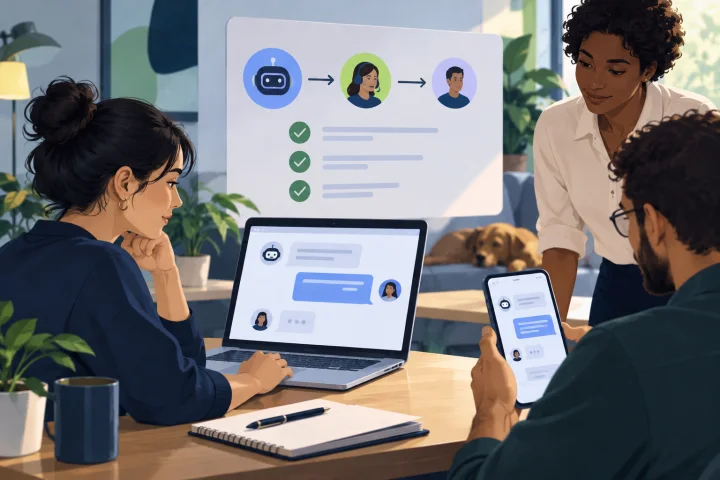
Set scope and pass criteria before testing
A widget appearing on a page is not proof that WebChat is ready. Test complete customer journeys, including what happens when a visitor needs help, enters an unexpected answer or reaches the team outside its coverage.
List the pages, customer tasks, languages, devices and support scenarios that are in scope. For each journey, map the steps and write down the expected result before running the test. Include the relevant automated flow, routing path and human handoff where applicable.
- Choose representative journeys, such as asking a common question, submitting a validated response, requesting a person and following up on an existing conversation.
- Define observable pass criteria: the widget is available on the intended page, the customer receives the expected next step, the conversation reaches the intended destination, and the support team can act on it.
- Record the test date, environment, tester, scenario, expected result and actual result. Mark anything not tested rather than assuming it works.

Check the widget on the intended pages and devices
Use the pages and layouts customers will actually encounter, not just an internal preview. Check the installable, customizable WebChat widget on your intended desktop and mobile layouts and in the browsers your team has selected for launch coverage.
Look beyond whether the widget loads. Confirm that it is visible and usable in the page layout, that the opening state makes sense, and that a visitor can start and continue a conversation without being blocked by the surrounding page.
Include accessibility checks on the intended pages and devices. These checks help identify barriers, but do not by themselves establish compliance with any accessibility requirements.
- Test the specific pages where the widget is meant to appear, including pages with different layouts or navigation patterns.
- Check the opening, active-conversation and return-to-page states on representative screen sizes and browsers.
- Verify the displayed language and customer-facing text on each in-scope language.
- Test keyboard-only operation, confirm focus is visible as it moves through the widget, and check that the conversation remains usable when the page is zoomed.
- Check screen-reader behavior, including whether controls and messages are announced meaningfully, and review whether labels and text are readable and have sufficient contrast.
- Capture the page, device or browser, steps to reproduce and a redacted screenshot or recording for any failure.

Exercise customer-facing setup and recovery paths
Test the configured welcome message, language, information requests and automated branches as a customer would experience them. WebChat automation can send messages and files, collect validated responses, branch, transfer and hand off to people; verify each configured step in the journey rather than assuming a successful start means the whole flow works.
Include recovery paths. A test should show what happens when an answer is invalid, a customer changes direction, or the automated route cannot resolve the request. The appropriate result may be a clear retry prompt, another relevant branch or a handoff—not a dead end.
Before collecting information, identify the data and jurisdictions in scope and check with the responsible owner whether a privacy notice, consent step or customer choice applies. Verify that any applicable step is presented and behaves as intended before information is collected. Testing this flow does not by itself establish legal compliance.
- Follow each important branch from its entry point to its intended outcome, including any message or file customers should receive.
- Submit valid, invalid and incomplete responses to check the configured validation and recovery behavior.
- If a flow relies on details shared earlier, test whether the later step uses those details correctly after intervening conversation turns.
- Confirm that any applicable privacy notice, consent step or choice appears before collection, and that the customer-facing next step is clear.
- Confirm that a transfer or handoff gives the customer a clear next step. Do not treat automation as a substitute for human judgment.
Protect operational records and reporting
The platform records operational analytics, conversation logs, ratings and exportable reports. Before launch, decide how test conversations should be handled in your operational records and reporting. Do not use real customer information to make a test feel realistic.
Use clearly identifiable synthetic test details. If you are testing in a live environment, first establish how the team will distinguish test activity from real conversations and prevent test information from being mistaken for customer data. Do not assume a particular exclusion or deletion control exists; verify the available process with your channel owner.
- Use fabricated names, contact details and scenario content; never paste real customer records into a test conversation.
- Check the operational records and reports relevant to your launch review, and note whether test activity could affect how the team interprets them.
- Agree who is responsible for identifying and handling test conversations after the run.
- If a test exposes real personal information or creates a record that should not remain, stop the test and follow your organization’s established privacy and incident-handling process.
Classify failures and set launch gates
Not every defect has the same launch impact. Classify failures by customer harm or operational risk, assign an owner and decide what must be fixed before release. A broken primary journey or a handoff that leaves customers without a next step is a stronger blocker than a minor wording issue that does not mislead or prevent help.
Retest the complete affected journey after a change, not only the step that appeared to fail. Keep the original failure and retest result together so the team can see whether the correction resolved the cause or introduced a new problem.
- Block launch for failures that prevent an essential customer journey, route requests to the wrong team, provide a misleading outcome or leave no clear human escalation path.
- Assign each issue an owner, severity, reproduction steps, expected result and retest status.
- Set a retest rule: the owner confirms the change, a tester repeats the failed scenario end to end, and related branches or handoffs are checked for regressions.
- If the team cannot agree on customer impact or safe handling, escalate to the WebChat channel owner and support or operations lead; involve the relevant privacy or security lead when personal information or records are involved.
Run a final go/no-go review
Make the launch decision from recorded outcomes, not from whether the widget looked correct during a quick check. Review the in-scope journeys, unresolved defects, coverage behavior, team readiness and treatment of test records together.
A concise test record makes later changes easier to assess. Keep the journey list, expected outcomes, results, issues and owners in a team location appropriate to your organization, then repeat relevant checks after material changes to pages, flows, routing or support coverage.
- Go only when all agreed launch-blocking journeys pass, unresolved issues have an accepted disposition, and the support team knows how to handle handoffs and unavailable coverage.
- No-go when a critical journey fails, ownership for a blocking defect is unclear, or customers lack a defined route to human help.
- Record the decision, reviewer, date, known limitations and the next review trigger.
- For a decision the team cannot resolve, pause launch and escalate to the WebChat channel owner, support or operations lead, and the responsible web team.
Frequently asked questions
What should a WebChat launch test cover?
Cover the full customer journey: widget behavior and accessibility on intended pages and devices, customer-facing messages and automated branches, applicable privacy steps before information collection, routing and availability, shared-inbox handling, follow-up, and the treatment of test records and reports.
Should we test with real customer information?
No. Use synthetic test details. If a test exposes real personal information, stop and follow your organization’s privacy and incident-handling process.
When should we block a WebChat launch?
Block launch when an essential journey fails, a request reaches the wrong team, the customer is left without a useful next step, or there is no clear human escalation path. Assign an owner and retest the affected journey before reconsidering.
Who should be involved in WebChat acceptance testing?
Include the WebChat channel owner, support or operations representatives who will handle conversations, and the web team responsible for the pages where the widget appears. Bring in the relevant privacy or security lead if testing raises concerns about personal information or records.
Sources and further reading
Primary and authoritative references used to verify the factual foundation of this guide.