How to Create a Safe File-Upload Policy for Customer Support Chats
A practical policy framework for requesting only necessary customer files, handling unexpected attachments, and routing security, privacy and accessibility issues to the right people.
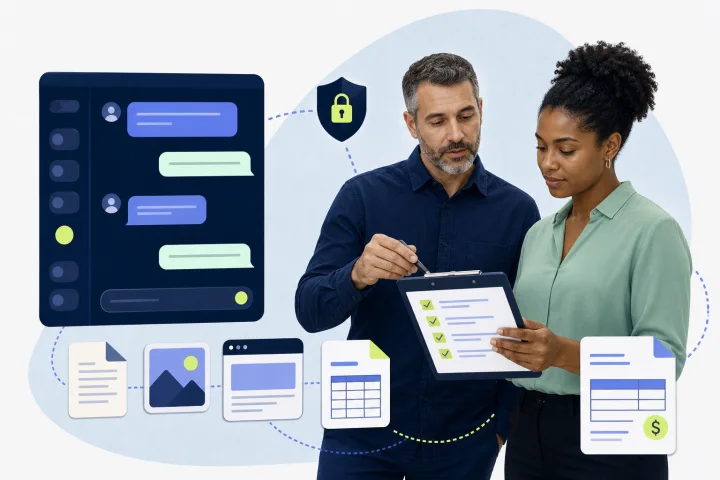
An upload button is not a file-upload policy
Screenshots, invoices, photographs and documents can help resolve a case, but every attachment also creates an operational decision: what is needed, who may see it, whether it is safe to open, how long it is retained, and what happens when the customer sends something inappropriate or risky.
A customer support file upload policy turns those decisions into repeatable instructions for customers, frontline operators, supervisors, privacy stakeholders and security responders. It should apply consistently across the conversation channels your team uses, while recognizing that channel behavior and internal handling may differ.
Use defense in depth. OWASP advises that no single validation technique is sufficient for user-supplied files. A sound policy therefore combines data minimisation, narrow permitted categories, technical controls that your organization has verified, staff procedures, access limits and escalation rules.
- Policy owner: name the support operations owner and the privacy, security and records-management approvers.
- Scope: list each support channel, queue, department and case type covered.
- Decision rule: request a file only when it is necessary to resolve, verify or investigate the stated case.
- Human route: give every customer a way to continue with a person if they cannot or should not upload a file.

Classify the support task before requesting an attachment
The safest file is the one you never collect. Before an agent or automated flow asks for an upload, classify the evidence into one of three groups: required, helpful or prohibited.
Required evidence is information without which the team cannot reasonably perform a specific support action. Helpful evidence may speed diagnosis but is not necessary; offer it as optional and explain the alternative. Prohibited information must not be requested or accepted through ordinary support chat.
This approach supports purpose limitation and data minimisation. Where GDPR applies, personal data should be collected for a specified purpose and limited to what is necessary for that purpose.
- Required: a cropped screenshot of a displayed error message when the text cannot be provided another way.
- Helpful: a photo showing visible shipping damage when the customer can instead describe the condition and provide an order reference.
- Do not collect: passwords, one-time passcodes, payment-card verification codes, PINs, full track data, private keys, or unrelated identity documents.
- Review each recurring upload request: can the same decision be made from an order number, case number, text description or secure purpose-built process?

Set permitted categories and write customer instructions before upload
Define a short allowlist for each case type rather than permitting broad file categories by default. OWASP recommends allowing only business-critical extensions and choosing the least harmful, lowest-risk types that serve the business need. Avoid accepting archive files unless there is a documented reason and your technical owners have approved safe processing; archive handling introduces decompressed-size and extraction risks.
Write the upload request in plain language before the customer acts. The instruction should identify the support purpose, the minimum content required, accepted formats and any relevant size limit that has been verified for that channel. It should also state what to remove and what not to send.
Accessible instructions are not optional. WCAG 2.2 requires labels or instructions where user input is required, and upload controls need a text name that describes their purpose. Do not rely on color, an icon or an image alone.
- Purpose: “To check the delivery issue, please send one photo of the outside of the parcel and the damaged item.”
- Minimum: “Please cover your address, phone number, account number and any information not needed to show the problem.”
- Format: state only formats that your team has approved for that task, such as a screenshot or photograph where appropriate.
- Prohibition: “Do not send passwords, verification codes, card PINs, card security codes, or full payment-card details.”
- Alternative: “If you cannot upload a file, describe the error text, date and time, and what you were trying to do. An agent can help.”
Handle unexpected and sensitive attachments without repeat requests
Customers sometimes send a file before being asked, attach the wrong item, or include sensitive material in a screenshot. Agents should not ask them to resend the same sensitive content through the same chat. Repetition expands exposure without solving the underlying handling problem.
Create a simple containment script and route. The agent should acknowledge the case, stop further collection of the sensitive material, document only the minimum facts required by the internal procedure, and refer the case to the designated privacy, payments, account-security or security team.
Payment environments need particularly clear rules. Card verification codes, PINs and full track data are sensitive authentication data and are not appropriate for ordinary support-chat attachments. If payment information arrives, follow the organization’s approved payment-data incident and disposal procedure rather than copying it into notes, templates or another chat.
- Accidental credential or verification code: tell the customer not to send more, advise them to change or secure the credential through the approved account route, and escalate to account security.
- Payment data: stop discussion of the data, do not repeat it back, and escalate through the approved payment/privacy process.
- Identity document or special-category information not needed for the case: acknowledge receipt without restating details and escalate to the privacy owner.
- Wrong or unrelated file: ask for a safer alternative or the minimum relevant information, not a resend of the original material.
Give operators safe rules for opening, describing and sharing files
Frontline support staff should not make malware or privacy determinations alone. NIST advises users not to open suspicious attachments merely because the sender is known. A familiar customer name, expected case topic or plausible filename is not proof that a file is safe.
Train operators to inspect only the information necessary for the case and only in approved tools. They should not download a file to a personal device, forward it to personal email, upload it to an unapproved service, or share it in a broad internal group simply to obtain help.
A customer-supplied Content-Type or MIME value is not reliable proof of a file’s true type. Technical controls may use extension allowlists, expected file signatures, size limits and malware scanning or sandboxing where available, but OWASP cautions that these are complementary safeguards, not standalone guarantees.
- Open normally only when the file is expected, relevant to the active case, permitted by policy and accessible through approved handling procedures.
- Treat as suspicious when the attachment is unexpected, irrelevant, executable-looking, an archive outside policy, unusually large, misleadingly named, or accompanied by pressure to open it urgently.
- For suspicious files: do not open, preview, execute or investigate in ordinary desktop tools; preserve the case reference and escalate to security.
- When describing a file internally, record the minimum useful facts: case ID, time received, apparent category, reason for escalation and actions taken. Do not reproduce sensitive contents in notes.
Verify the boundary between channels, inboxes and your own safeguards
Do not write a policy that assumes a messaging channel, chat widget or inbox provides malware scanning, file-type enforcement, retention controls, deletion workflows or role-based access controls unless those capabilities have been explicitly verified for the exact configuration in use. Scanning and sandboxing are implementation-specific safeguards, not default assumptions.
webchat.vip provides a shared inbox for WebChat and WhatsApp conversations. Files are stored in an isolated Apification Cloud subaccount for each omnichannel service. These facts describe the product architecture, but they do not by themselves establish your organization’s required scanning, retention, access-review or incident-response controls.
Make technical verification a formal launch requirement owned by the appropriate security, privacy and platform stakeholders. Record the answer, evidence, owner, review date and any residual risk for every control.
- Which file formats, file sizes and request sizes are actually accepted in each deployed channel?
- Is a file scanned, quarantined or sandboxed? If so, who operates the control, what is its coverage, and what happens on a detection?
- Who can view, download, export, forward and delete customer attachments in the configured inbox and connected systems?
- Where are files stored, how are access logs obtained, and how does deletion or retention enforcement work in practice?
- Can the team prevent user-controlled filenames or paths, and are files segregated from web-served content where relevant?
- What process applies if a customer asks for access, deletion, correction or information about an uploaded file?
Use risk-based escalation, with a named human owner
Every policy needs an escalation path that works outside business hours and does not depend on an agent guessing the severity. Define who receives the case, how to make contact, what facts to preserve, and what the frontline agent may tell the customer while the review is under way.
Potential privacy incidents need prompt assessment. Where GDPR applies, processors must notify controllers without undue delay after becoming aware of a personal data breach, while controllers must document relevant facts, effects and remedial action. A qualifying notification to a supervisory authority is generally required within 72 hours of awareness where feasible, unless the breach is unlikely to create a risk to individuals’ rights and freedoms.
The support team’s job is containment and accurate handoff, not legal classification. Privacy and security owners should assess the event against applicable obligations and direct communications.
- Suspicious attachment: route immediately to the security incident contact; do not open it in standard tools.
- Possible account takeover, credential exposure or impersonation: route to account security and follow the approved customer-protection process.
- Accidental sensitive personal data or misdirected file: route to the privacy lead or data-protection contact.
- Legal demand, preservation request or law-enforcement contact: route to legal and records-management owners; agents should not promise deletion or disclose files independently.
- Immediate customer message: confirm that the file will be reviewed through the appropriate process, ask them not to send more sensitive information, and offer a human contact route.
Set retention, deletion, access and audit expectations
Attachments should not be kept indefinitely because they are convenient. Set a retention schedule by case type and purpose, then define the event that starts the clock, the approved deletion or disposal method, exceptions such as legal holds, and who authorizes exceptions.
GDPR storage limitation requires identifiable personal data to be retained no longer than necessary for its purpose. PCI guidance similarly calls for retention and disposal policies that limit storage to legal, regulatory or business needs and securely delete or render unrecoverable data that is no longer required.
Access should follow the support task, not general curiosity. Limit file access to people acting under documented organizational instructions, review access periodically, and retain enough audit information to investigate inappropriate handling and demonstrate that the policy was followed.
- Maintain a retention schedule for each attachment category, including routine deletion timing and exception owner.
- Document how deletion is requested, performed and confirmed across the inbox, storage and any approved downstream system.
- Apply least-necessary access by department and role; remove access when duties change.
- Record significant attachment events: upload, internal transfer where applicable, escalation, deletion request, deletion action and policy exception.
- Run regular effectiveness reviews of technical and organizational safeguards, as required by your governance program.
Frequently asked questions
What should a customer support file upload policy include?
Include the support purposes that justify uploads, permitted and prohibited file categories, customer instructions, safe operator behavior, technical-control verification, escalation contacts, retention and deletion rules, accessibility alternatives, training, testing and metrics.
Should support teams accept identity documents in chat?
Only if a specific, approved verification process genuinely requires them. Ordinary support chat should not collect identity documents by default. Provide a purpose-built alternative or a human escalation route when identity verification is needed.
Can agents trust a file extension or Content-Type value?
No. A user-supplied Content-Type can be spoofed, and an extension alone is not proof that a file is safe. Technical teams should use complementary controls and operators should escalate suspicious files rather than opening them.
What should an agent do if a customer sends a password or card security code?
Do not repeat, copy or request the information again. Stop further collection, follow the approved containment script, and escalate to the account-security, payment or privacy owner as applicable. Give the customer a safer route to secure their account or complete the task.
Does webchat.vip automatically provide malware scanning or retention controls for attachments?
Do not assume so. webchat.vip provides a shared inbox for WebChat and WhatsApp conversations, and files are stored in an isolated Apification Cloud subaccount for each omnichannel service. Your team should verify scanning, retention, access, export and deletion behavior for the deployed configuration before relying on any control.
How can automation request files safely?
Use automation only for narrowly defined, human-reviewed requests. State the purpose and minimum required content, collect validated responses where appropriate, branch to safer text alternatives, and always provide a transfer or handoff to a person. Do not automate a request for sensitive material that the downstream process cannot safely handle.
Sources and further reading
Primary and authoritative references used to verify the factual foundation of this guide.
- File Upload Cheat Sheet — OWASP Foundation
- Input Validation Cheat Sheet — OWASP Foundation
- Web Content Accessibility Guidelines (WCAG) 2.2 — W3C
- Forms Tutorial — W3C Web Accessibility Initiative
- Regulation (EU) 2016/679 (GDPR) — EUR-Lex / European Union
- NIST Privacy Framework 1.1: Using the Framework — National Institute of Standards and Technology
- Security and Privacy Controls for Information Systems and Organizations — National Institute of Standards and Technology
- Computer Security Incident Handling Guide — National Institute of Standards and Technology
- Can card verification codes be stored for card-on-file or recurring transactions? — PCI Security Standards Council
- What is the maximum period of time that cardholder data can be stored? — PCI Security Standards Council